
How it works
From a room list to a boxed set of signs.
The same four steps whether you run a pub, a school, an office or a hotel. All of them in the browser. You can do the whole thing yourself without talking to anybody - and when you do want to talk to somebody, it is us, not a call centre.
The four steps
-
01
Bring the room list
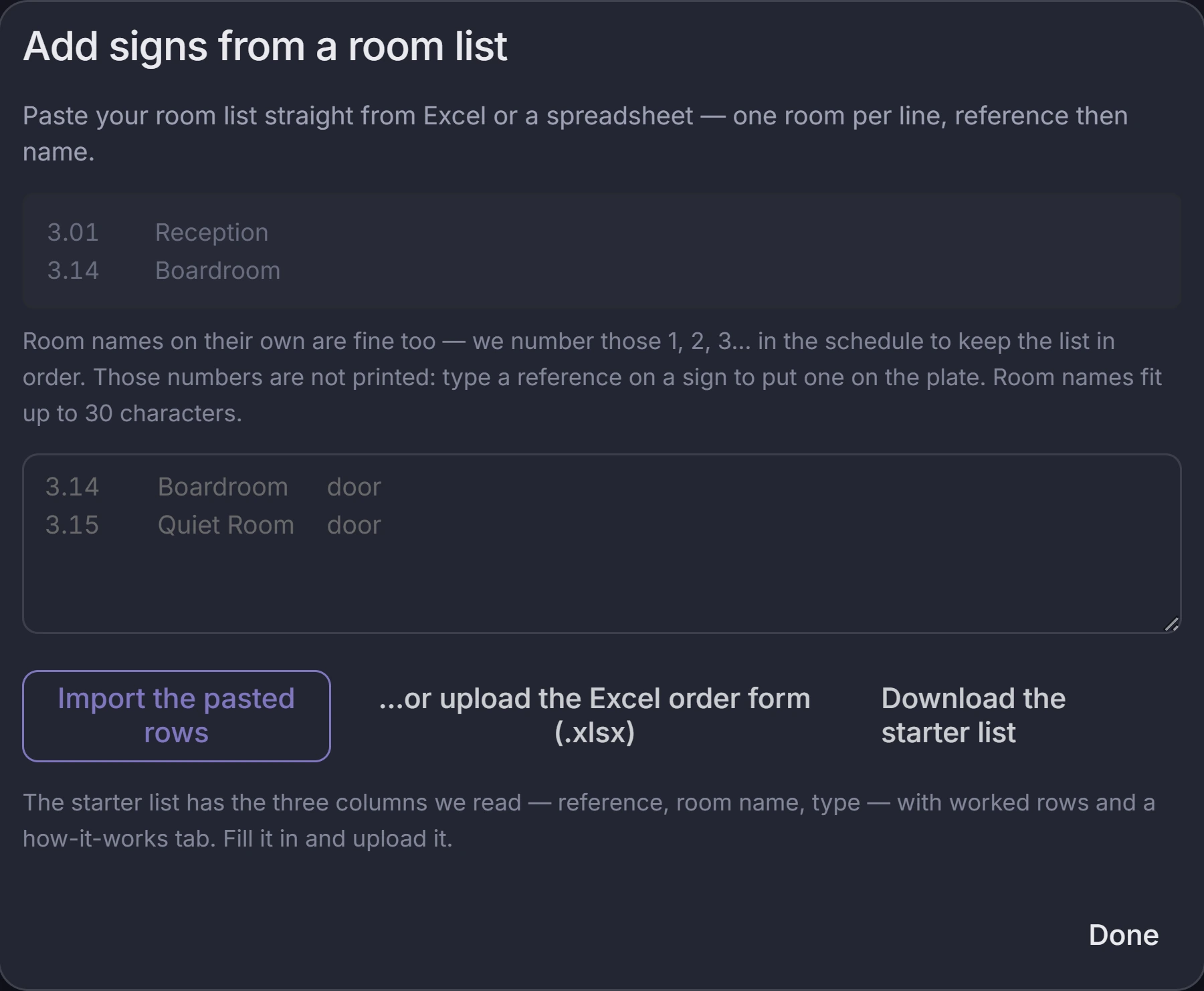
Paste it straight out of the schedule, upload the spreadsheet (.xlsx), or type rooms in one at a time. Every row becomes a sign, with its reference and room name already in place.
-
02
Design the set
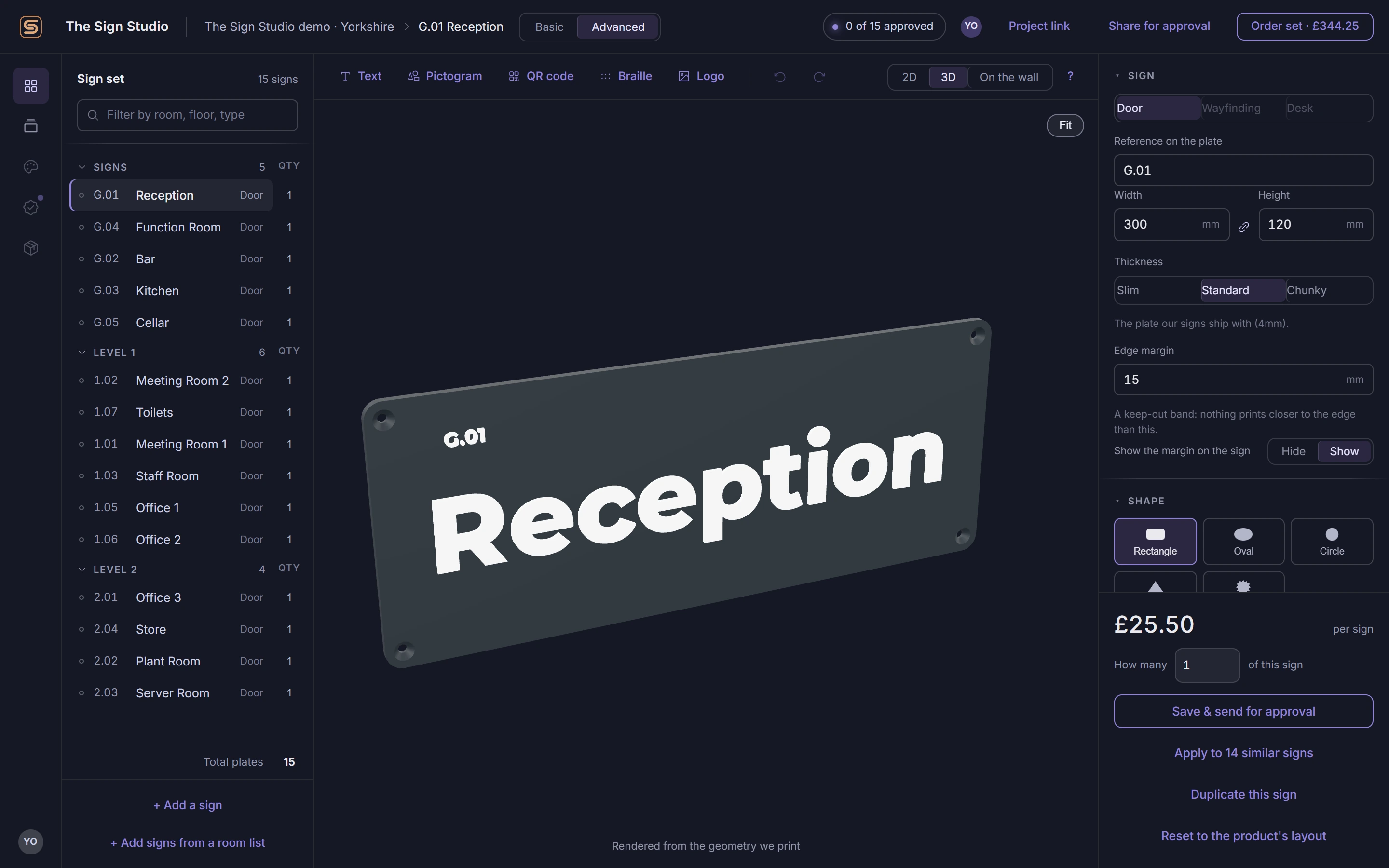
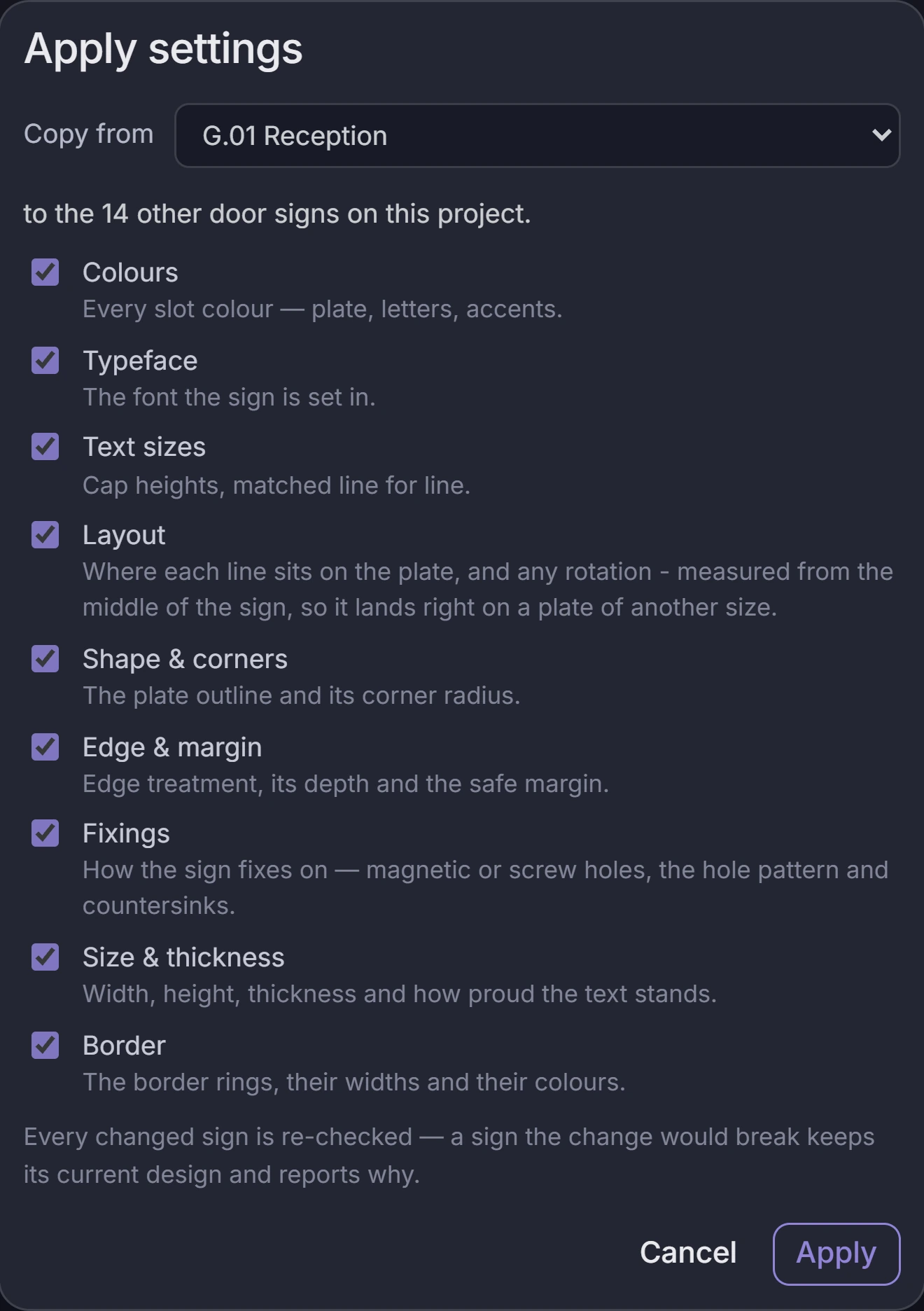
Lay out one plate the way you want it - size, colours, typeface, where the text sits - then apply it to every other sign that should match. The price updates on every change.
-
03
Get it approved
Send one link to whoever signs it off. They approve sign by sign from a phone, or leave a comment on the one that is wrong. You can download a design proof PDF of the whole set.
-
04
We make it
The approved set goes to our machines in Yorkshire and ships together, so the building is signed in one go.
The designer
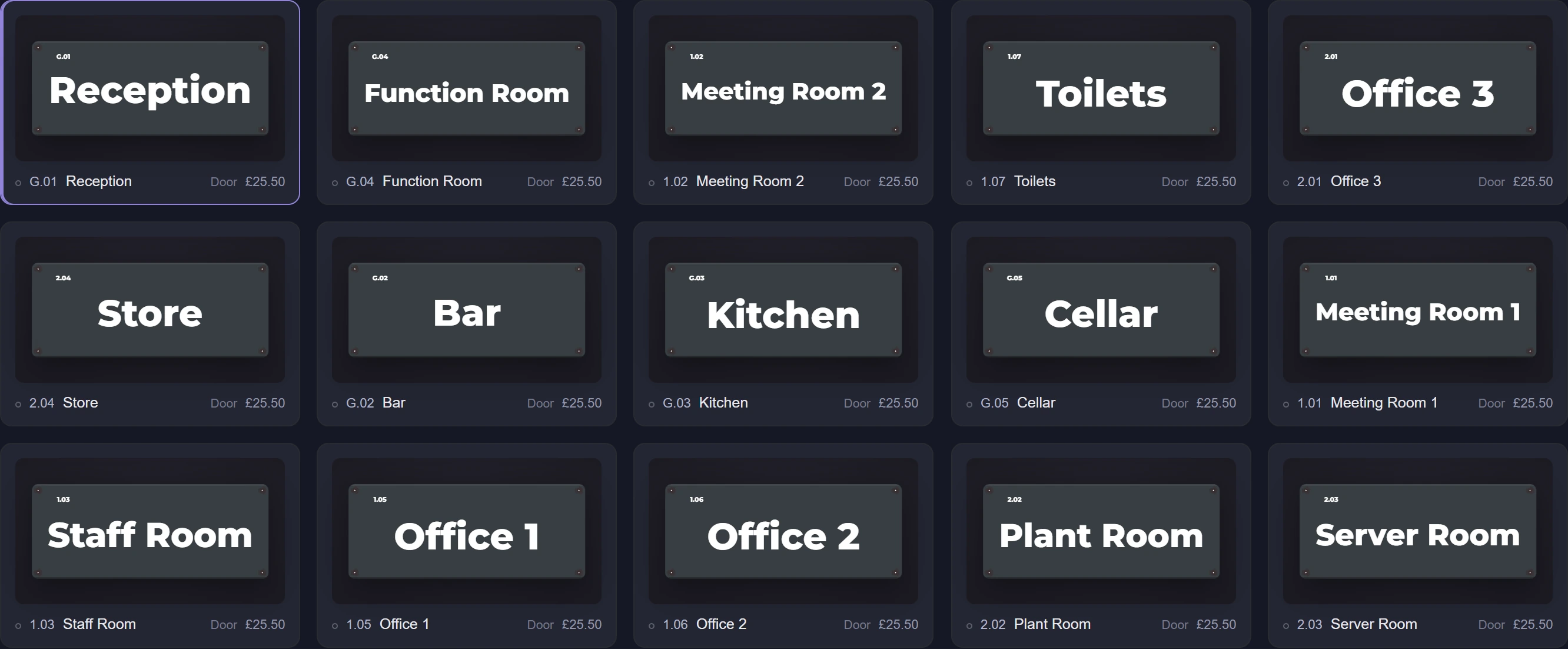
No sign-up, nothing to install. A real project, open in a browser.
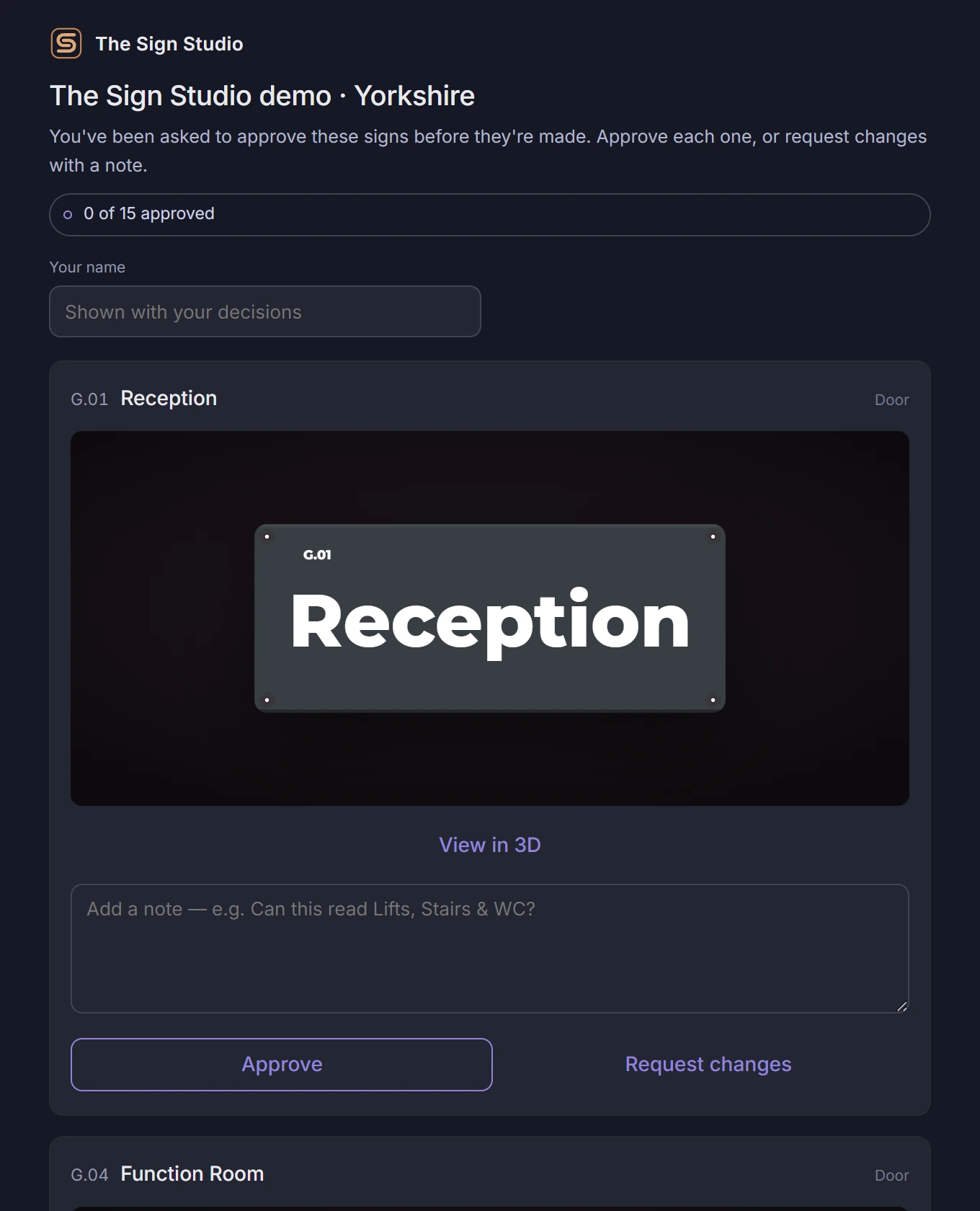
Sign-off is a link, not an account
View and approve each sign either in the office or on the go.
Nothing reaches a printer until somebody has approved it.
You see it before we make it
Three different ways, because a sign that looks right in a browser can still be the wrong thing on a door.
- In 3D - turned from the same geometry that gets printed, so the depth of the lettering is the real depth.
- On your own door - drop in a photo, tell us the door width, and the plate appears at true size on it.
- As a proof - a design proof PDF of the set, for the file and for whoever needs it on paper.
| Ref | Room | Type | Status |
|---|---|---|---|
| G.01 | Reception | Door | Approved |
| G.04 | Function Room | Door | Approved |
| 1.02 | Meeting Room 2 | Door | In review |
| 1.07 | Toilets | Door | In review |
| 2.01 | Office 3 | Door | Draft |
| 2.04 | Store | Door | Draft |
Questions
Do I need an account?
No. You can open the designer, import your room list and design the whole set without signing up. We ask for your details when you place the order. The person who approves the signs does not need an account either - they open a link.
Can I see it before I buy?
Yes. Every sign has a 3D preview built from the same geometry we print, so what you turn around on screen is the part itself, not an illustration of it. You can also drop in a photo of your own door and see the plate on it at true size, and download a design proof PDF of the whole set.
How do approvals work?
You send one link to whoever signs the set off. They open it on a phone or a laptop, go through the signs one at a time, and approve each one or leave a comment on it. Nothing goes to the machines until the set has been approved.
What sizes are available?
The standard door plate is 300 x 120 x 4 mm, with 8 mm rounded corners and four countersunk fixing holes. In the designer you can set any plate between 30 mm and 300 mm on each side, and the layout re-fits the text as you change it - if a name no longer fits at a legible size, the sign says so rather than shrinking it away.
How long does a set take?
We do not publish a lead time, because a set of six and a set of six hundred are not the same job and a number on a page would be wrong for one of them. Tell us roughly how many signs and when you need them on the doors, and we will give you a date before you order - not after.
What if a room name changes after approval?
Before it is made, change it in the designer and send the link again - only the sign that changed needs re-approving. After it is made it is a new plate; tell us and we will price the one sign rather than the set.
Where are they made?
In Yorkshire, on our own machines. We are not a reseller - the file you approve is the file that gets printed here.
Start with the room list you already have.
Paste it in and see the set laid out. No sign-up, no sales call.